


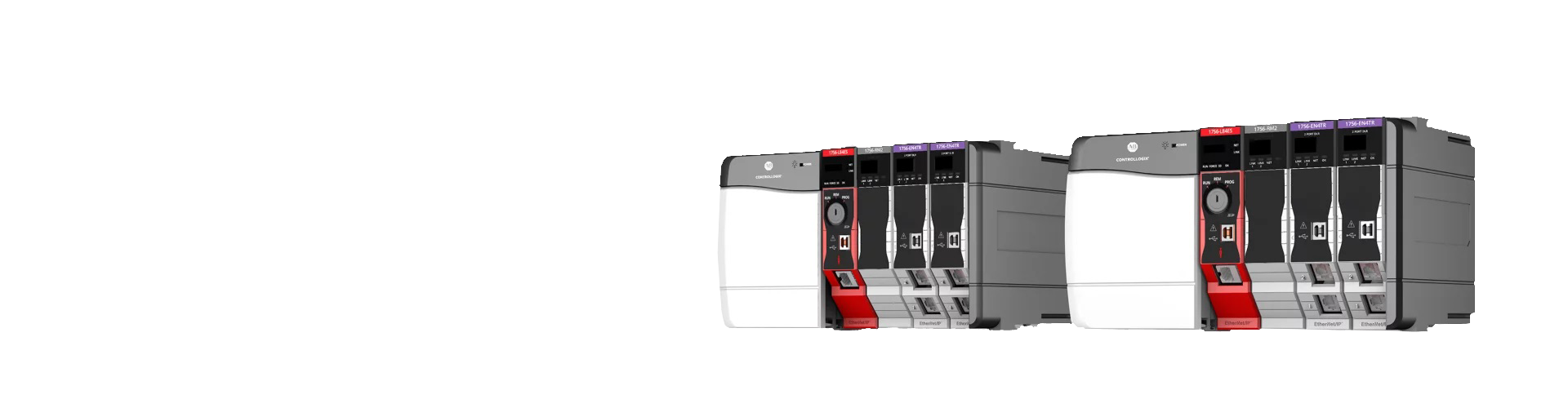
The CompactLogix 5380 (5069 series) is Allen‑Bradley's mid-range PLC platform from Rockwell Automation. It sits between the large ControlLogix platform and the smaller Micro800 family. It is widely deployed in packaging, material handling, machine tool, water treatment and other automation applications. Centered on active models such as the 5069-L306ER, this article explains the selection logic from controller choice, I/O expansion and communication setup to help you find the right configuration quickly.
1. Controller Selection: Match the Model to Project Scale
1. Key Selection Criteria
When choosing a CompactLogix 5380 controller, focus on four main specifications:
● User memory: Defines the maximum capacity for program logic and data tags
● Maximum local I/O modules: The total number of I/O modules that can be mounted locally in one cabinet
● EtherNet/IP node capacity: The number of remote I/O, drives, servos and other devices that can be connected
● Motion axis support: Critical for applications requiring servo motion control
2. Available Standard Models
Four mainstream standard controllers are currently in active production and supply. You can select based on project size:
● 5069-L306ER: 0.6 MB user memory, supports up to 8 local I/O modules and 16 EtherNet/IP nodes. Ideal for standalone machines and simple production lines. It is also the most cost-effective base model for spare part replacement.
● 5069-L310ER: 1 MB user memory, also supports up to 8 local I/O modules, with an EtherNet/IP node limit of 24. Suitable for medium-small machines with a small amount of remote I/O and connected devices.
● 5069-L320ER: 2 MB user memory, supports up to 16 local I/O modules and 40 EtherNet/IP nodes. This is the preferred choice for general medium-sized projects. It handles standard logic plus a modest number of analog signals and leaves room for future expansion.
● 5069-L330ER: 3 MB user memory, supports up to 31 local I/O modules and 60 EtherNet/IP nodes. Designed for multi-station systems with multiple remote racks.
Suffix letters indicate special variants. Models ending in M are enhanced motion versions supporting more servo axes. S2 suffix denotes GuardLogix safety controllers rated for SIL2 / PLd. P suffix versions are built for process applications within the PlantPAx ecosystem.
3. Selection Recommendations
● For standalone machines or replacement of legacy SLC 500 / older CompactLogix hardware: 5069-L306ER is recommended. It offers good value and covers most general logic requirements.
● For regular medium-sized lines with analog signals and several networked devices: choose the 5069-L320ER for sufficient expansion headroom.
● For safety circuits, safety gates and emergency stop requirements: select the GuardLogix 5380 safety variants.
● For servo motion control: pick the M-suffix motion controller and match the model to your required axis count.
2. I/O Configuration: How to Expand with Compact 5000 I/O
CompactLogix 5380 works with the 5069 Compact 5000 I/O family. You can use local I/O or distributed remote I/O. Follow this workflow: calculate signal requirements, select modules and reserve spare capacity.
1. Local I/O Expansion Rules
I/O modules plug directly onto the controller backplane. The maximum module count varies by controller; the entry-level L306ER allows up to 8 modules while the top model supports up to 31. All modules mount on standard DIN rails without a separate chassis, saving cabinet space. Each module has status LEDs for fast on-site troubleshooting.
2. Common I/O Module Types
5069 I/O modules are grouped by function, selected according to your field signals:
Digital input modules: 5069-IB16, for 24V DC discrete signals from sensors and pushbuttons.
Digital output modules: 5069-OB16, 24V DC transistor outputs to drive solenoid valves and indicator lamps.
Relay output modules: 5069-OW16, dry contact outputs compatible with both AC and DC loads.
Analog input modules: 5069-IF8, 8-channel voltage / current inputs for temperature and pressure transmitters.
Analog output modules: 5069-OF8, 8-channel analog outputs typically used to adjust drive speed and control valves.
High-speed and special-function modules: 5069-HSC2XOB4, for encoder feedback and high-speed pulse output.
3. Important I/O Selection Tips
Leave spare points: add 10%–20% extra I/O capacity for future machine modifications.
Match signal type: confirm whether sensors are NPN or PNP, and whether analog signals are 4–20mA or 0–10V to avoid compatibility issues.
Check power budget: all I/O modules draw power from the 5069 power supply. Verify the supply rating when using many modules.
Distributed remote racks: when devices are spread across multiple cabinets, use the 5069-AENTR EtherNet/IP adapter for remote I/O to reduce field wiring.
3. Communication Options: From Standalone Machines to Plant-Wide Networking
CompactLogix 5380 comes with dual 1Gb EtherNet/IP ports as standard, the primary network for Rockwell systems. Additional fieldbus connectivity can be added with adapters or gateways.
1. Native EtherNet/IP Communication
Every 5380 controller has two 1Gb Ethernet ports with integrated switch functionality. Typical use cases include: Dual-IP setup: one port connects to the machine control network and the other to the plant IT network for logical separation and better security. Linear and ring topologies with DLR (Device Level Ring): the network keeps running if one cable fails, improving uptime. Device connection: direct communication with PowerFlex AC drives, Kinetix servos, PanelView HMIs, remote I/O and SCADA hosts. EtherNet/IP is the backbone for networking Allen‑Bradley hardware.
2. Additional Fieldbus Options
For legacy equipment or third-party devices, use adapters or gateways: DeviceNet adapters for older Allen‑Bradley sensors and drives. Profibus DP or Modbus RTU gateways for third-party PLCs and instruments. Serial-to-Ethernet gateways for legacy serial instruments.
3. Typical Communication Architectures
Standalone machine: one port is enough to connect an HMI and a VFD. Single production line: controller plus remote I/O racks and multiple drives on an EtherNet/IP linear network. Plant-wide integration: connect the controller through industrial switches to MES / ERP systems. Use the dual-port feature to isolate control traffic from office networks.